
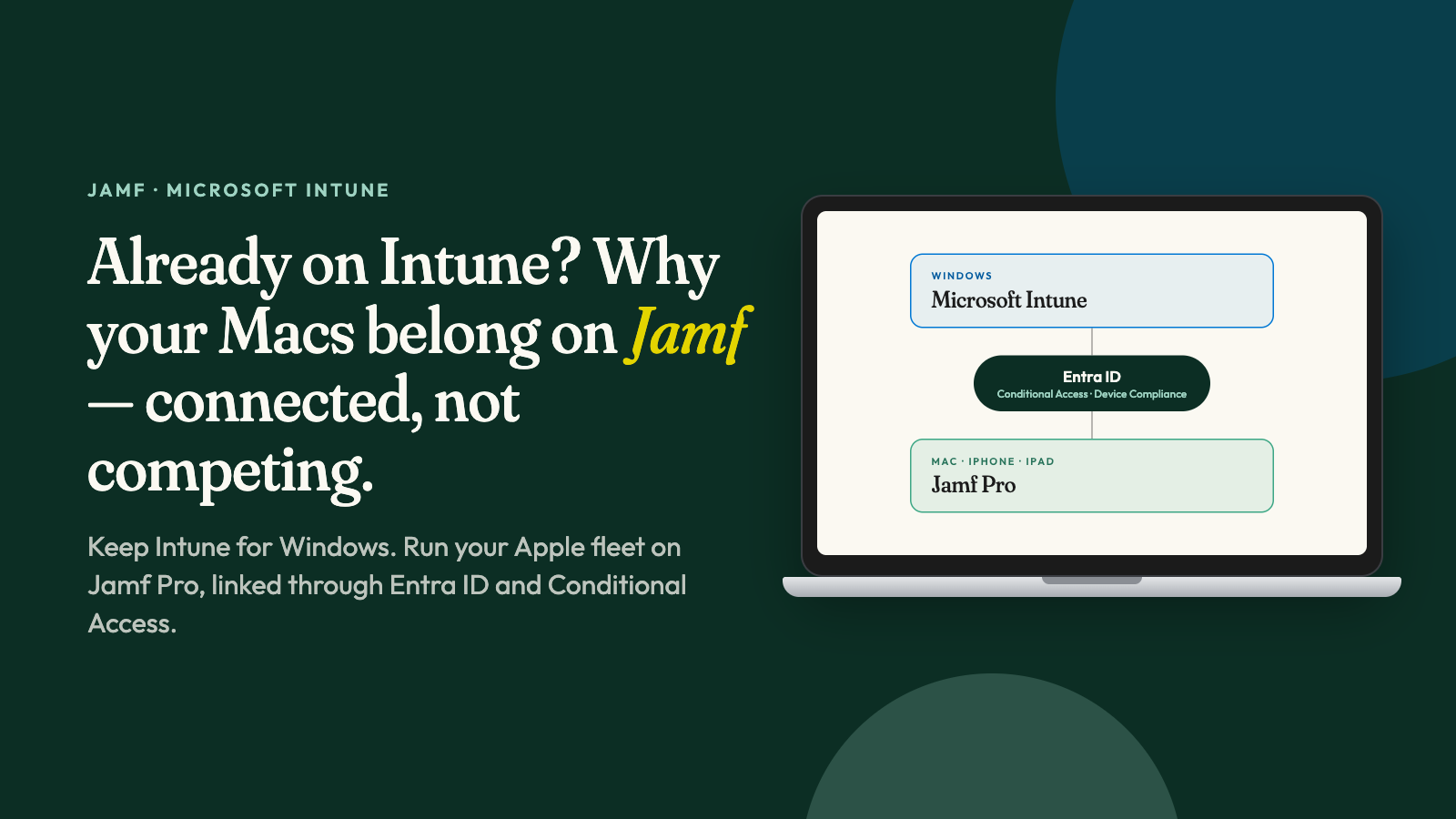

If your organisation runs with Microsoft, Intune is probably already managing your Windows estate, and someone has almost certainly asked, "Can't it just do the Macs as well?"
It can. The question is whether it should. For most of the organisations we work with, the answer is to keep Intune for what it does best and put the Macs on Jamf Pro, then connect the two with Entra ID, Conditional Access and your security team still see one estate. That's not a rip-and-replace. It's two platforms each doing the job they were built for, sharing one identity and compliance story.
Here's why, and how the connection works.
One estate, two jobs
Intune is designed to manage every platform Microsoft supports, and Windows is where most of its depth lives. Jamf has done one thing since 2002: manage Apple devices. That focus shows up in the places Mac admins feel day to day, how quickly a device picks up a change, how granular your targeting is, how much you can check for compliance, and the amount of the third-party app work is done for you.
None of that means choosing one vendor over the other. Jamf Pro integrates directly with Intune and Entra ID, so the Mac fleet reports into the same compliance and access controls as everything else.

Scripts and policies run sooner
Both platforms use push notifications to deliver configuration profiles and MDM commands, and Microsoft says most Intune changes arrive well inside an hour. The difference shows in what runs on the Mac outside MDM: scripts and policies.
On Intune, the management agent that runs shell scripts on a Mac checks for new or updated scripts on its own schedule, usually every eight hours, independent of the MDM check-in. On Jamf Pro, policies run at the recurring check-in, which defaults to every 15 minutes and can be set as low as every five.
When you need a script or policy change to reach every Mac quickly, minutes rather than hours makes a real difference.
Smart Groups built on what the Mac actually reports
Intune targets Macs through Entra ID groups and assignment filters, which work well for broad scoping. Jamf Smart Groups go deeper on the Mac itself.
Smart Groups are built from more than 100 inventory attributes, plus Extension Attributes for anything you can script, and membership updates as soon as inventory changes. In practice that means tighter scoping ("Macs on macOS below the current minor release, with FileVault off, in Finance") and a faster response when a device drifts out of compliance.

Compliance that goes beyond the built-in basics
Intune provides built-in macOS compliance controls and supports custom compliance scripts.
Jamf Pro's Compliance Benchmarks build on the macOS Security Compliance Project (mSCP). You can apply CIS and NIST 800-53 benchmarks, remediate drift automatically, keep previous benchmark versions available for testing, and report on non-compliant devices ahead of an audit. Jamf can also assess things Intune's built-in policy doesn't, such as XProtect currency and Recovery Lock on Apple silicon.
Jamf works out whether a Mac is compliant, then passes that verdict to Entra ID through Intune's partner compliance connector.
Mac-specific threat detection that feeds your SOC
Microsoft Defender for Endpoint runs on macOS and collects process, file and network telemetry. Jamf Protect is built on Apple's Endpoint Security framework and adds Apple-native signals, Gatekeeper, XProtect events, privacy (TCC) changes, LaunchDaemon and LaunchAgent persistence. This is all backed by Jamf Threat Labs' research into Apple-specific threats.
You don't have to choose between them either. Jamf Protect can stream detections and network data into Microsoft Sentinel, so your security team keeps hunting in one place.

How the connection works
This is the part that surprises people: running Jamf doesn't take your Macs out of the Microsoft world.
- Device Compliance integration. Jamf Pro reports each registered Mac as compliant or not compliant, based on whether it's in a Jamf Smart Group you define, to Microsoft Entra ID through Intune's Partner Compliance Management API. It covers iPhone and iPad as well as Mac, and replaces the older macOS Conditional Access integration, which is being deprecated. If you're still on that, it's time to migrate.
- Conditional Access stays in Entra. Entra still makes the access decision, using the compliance status Jamf reports. You'll need a couple of exclusions so users can register, but from then on, an applicable Conditional Access policy that requires a compliant device will block a Mac Jamf reports as not compliant, just as it would a non-compliant Windows device.
- Users register through Self Service. Jamf deploys the Company Portal app; the user registers once, and from then on Jamf reports whether that Mac is compliant to Entra ID. If something needs fixing, the user remediates it in Jamf Self Service.
- Identity on the Mac, too. Jamf Pro deploys and reports on Platform SSO with Entra ID, and Jamf Connect handles zero-touch account creation and password sync, the Mac sign-in experience depends on the configured authentication method.
- One security view. Jamf Protect sends Mac threat data to Microsoft Sentinel alongside your existing Defender data.
Is it right for you?
Intune can manage Macs. Where the case for Jamf gets stronger is as your Mac fleet grows, your compliance obligations get more specific and granular. The cost and a risk of a slow patch also goes up. If your Mac admins are writing scripts to fill gaps, packaging apps manually, or explaining to the security team why a fix hasn't landed yet, that's usually the sign.

How Dare can help
Dare Technology is a Jamf Elite Partner and Apple Technical Partner. We help design, deploy and connect Jamf alongside Microsoft environments with organisations of all sizes and in various verticals, This includes moving eligible Macs off Intune without wiping them, and setting up the Device Compliance integration, Platform SSO and Jamf Security so they report into the Microsoft tools your teams already use.
Whether you need a defined project, a block of consultation time through Timebank, or ongoing Apple and Jamf support, we are here to help get you there.
Real people who know Apple, here to work with you, and not just a ticket queue.
Sources
- Microsoft Learn — Policy refresh intervals in Intune
- Microsoft Tech Community — Intune's journey to faster device management
- Microsoft Learn — Microsoft Intune management agent for macOS
- Microsoft Learn — Integrate Jamf Pro with Intune to report compliance to Microsoft Entra ID
- Jamf Marketplace — Microsoft Device Compliance
- Jamf — How Jamf helps maximise your Microsoft investments
- Jamf — The evolution of the Jamf App Catalog with App Installers